Aplikasi portable memudahkan kita menggunakannya, selain tidak perlu ribet dengan instalasi (terlebih bila menggunakan komputer umum yang tentu saja tidak bisa menginstal program sembarangan), aplikasi portable juga dapat dibawa dan digunakan kemana saja. Jika anda termasuk penggemar software/aplikasi portable, mungkin anda kesulitan mendapatkan program yang anda perlukan. Solusinya, anda bisa membuat aplikasi favorit anda menjadi portable. Bagaimana caranya?
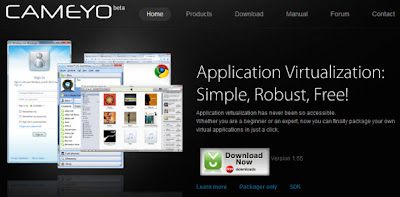
Ada beberapa software yang menawarkan kemampuan membuat aplikasi portable, salah satunya yang akan kami bahas di sini adalah Cameyo. Bagaimana membuat aplikasi portabel dengan cameyo? Ikuti tutorial berikut.
1. Download cameyo dan install di komputer.
2. Jalankan program Cameyo, sehingga muncul welcome screen sebagai berikut.
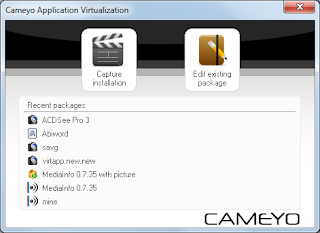
3. Pilih menu Capture Installation, Cameyo akan mulai memonitor sistem komputer.
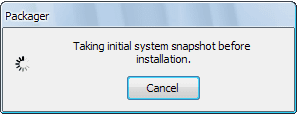
4. Kemudian akan muncul jendela "proceed with installation", itu tandanya cameyo siap memonitor proses instalasi program yang akan kita jadikan portabel. Instal program, dan jika selesai tekan tombol "Install Done"
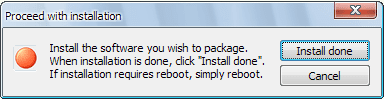
5. Cameyo akan menyimpan file-file instalasi program yang diperlukan untuk menjalankan program tersebut secara portabel.
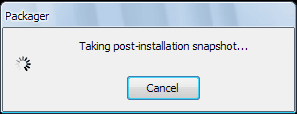
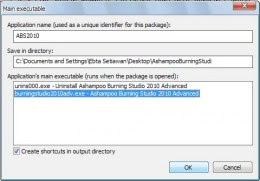
6. Setelah selesai, kita dapat melakukan pengaturan yang diperlukan
7. Klik ok tanda sudah selesai, aplikasi portabel kita sudah jadi dan bisa dijalankan tanpa perlu instalasi lagi.
Selain untuk membuat aplikasi portabel, cameyo juga menyediakan editor untuk aplikasi portabel jika sewaktu-waktu ada yang ingin kita ubah. Memang tidak semua program/aplikasi bisa dibuat portabel dengan cameyo, namun setidaknya program gratis ini bisa menjadi salah satu alternatif membuat aplikasi portabel dengan cara mudah.
Jika belum paham, silakan lihat video tutorial penggunaan Cameyo

Ada beberapa software yang menawarkan kemampuan membuat aplikasi portable, salah satunya yang akan kami bahas di sini adalah Cameyo. Bagaimana membuat aplikasi portabel dengan cameyo? Ikuti tutorial berikut.
1. Download cameyo dan install di komputer.
2. Jalankan program Cameyo, sehingga muncul welcome screen sebagai berikut.

3. Pilih menu Capture Installation, Cameyo akan mulai memonitor sistem komputer.
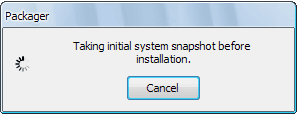
4. Kemudian akan muncul jendela "proceed with installation", itu tandanya cameyo siap memonitor proses instalasi program yang akan kita jadikan portabel. Instal program, dan jika selesai tekan tombol "Install Done"

5. Cameyo akan menyimpan file-file instalasi program yang diperlukan untuk menjalankan program tersebut secara portabel.

6. Setelah selesai, kita dapat melakukan pengaturan yang diperlukan

7. Klik ok tanda sudah selesai, aplikasi portabel kita sudah jadi dan bisa dijalankan tanpa perlu instalasi lagi.
Selain untuk membuat aplikasi portabel, cameyo juga menyediakan editor untuk aplikasi portabel jika sewaktu-waktu ada yang ingin kita ubah. Memang tidak semua program/aplikasi bisa dibuat portabel dengan cameyo, namun setidaknya program gratis ini bisa menjadi salah satu alternatif membuat aplikasi portabel dengan cara mudah.
Jika belum paham, silakan lihat video tutorial penggunaan Cameyo
Cameyo, Membuat Aplikasi Portable Cara Mudah
 Reviewed by Kaisar Woll
on
8:48 PM
Rating:
Reviewed by Kaisar Woll
on
8:48 PM
Rating:
Reviewed by Kaisar Woll
on
8:48 PM
Rating:

 Posts
Posts


This site is really helpful for me
ReplyDeletethanks,,,its so important,,,
ReplyDeleteThat's so helpful blog. The whole process of installation is explained with easy steps. That makes it easy to fallow. It's a great post.
ReplyDeletethanks untuk artikelnya
ReplyDeleteThis is a nice post in an interesting line of content, great way of bring this topic to discussion.
ReplyDeleteIn the post has been discussed about the Membuat and define the all the information so that can be able to understand properly. Mostly are very like it in this technology.
ReplyDeleteNicely presented information of the technology in this post and this is more interesting technology that can be able to understand and know that. Mostly people are very like it. I prefer to read this kind of stuff. Thanks for this
ReplyDeletethanks buat infonya sob!!!
ReplyDeletethanks for your share .
ReplyDeletethe article very useful for me .
i wait the next article
This is very nice and interesting and informative post shared on the site so that can be know that and used in this technology. Often are used in this technology and developed the technology.
ReplyDeleteSoftware is the good technology and more interesting software that can be able to understand and know that. Mostly people are very like it.
ReplyDeleteThe site is absolutely fantastic! There is actually some great facts on this post some of subscribers may find this useful, will send them a link, many thanks and appreciate your insightful post. You are so inspirational Good fresh interface and nice informative blogs.
ReplyDeleteThe site is absolutely fantastic! There is actually some great facts on this post some of my subscribers may find this useful, will send them a link, many appreciate your insightful post. You are so inspirational Good fresh interface and nice informative blogs.
ReplyDeleteThis is pleasant laptop and additional ingenious post shared on the site in order that can be know that and run in this laptop and good features in this reproduction and meaning also we can be take pleasure in it.
ReplyDeleteThis is a new software and supplementary improbable software with the intention that can be used in this equipment. Concerning post that can be able to used and sustain used in this technology
ReplyDeleteThe site is absolutely fantastic There is actually some great facts on this post some of subscribers may find this useful, will send them a link.
ReplyDeletewow keren jd bs lebih efektif deh :D
ReplyDeleteThe site is absolutely fantastic! There is actually some great facts on this post some of my subscribers may find this useful, will send them a link, many appreciate your insightful post. You are so inspirational Good fresh interface and nice informative blogs.
ReplyDeleteThis is a new software and more fantastic software so that can be used in this technology. Regarding post that can be able to used and maintain used in this technology
ReplyDeletewaaawwoooww that is great for artikel
ReplyDeleteI agree with you. This post is truly inspirational. I like your post and all you share with us is up to date and quite informative, i would like to bookmark the page so i can come here again to read you, as you have done a wonderful job……
ReplyDeletegatwick to w2 | luton to w2